
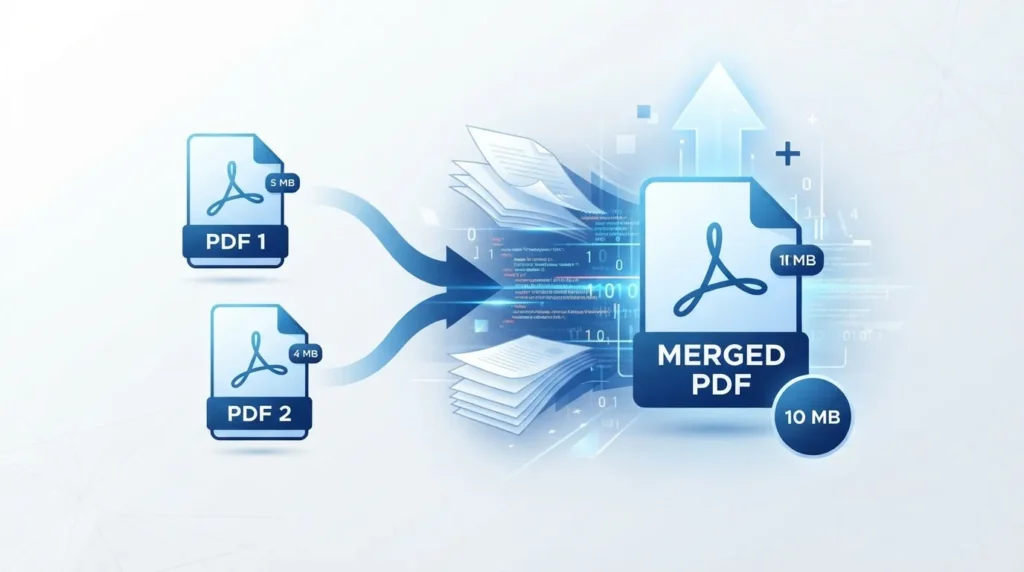
Merging PDFs often makes the file bigger. This is because pages and their resources are copied into a new file. These include images, fonts, and metadata. They are not recompressed during the merge. If the merge tool duplicates shared resources or uses incremental saves, the result can exceed the simple sum of the originals. For reliable merging without unexpected bloat, a dedicated merge PDF tool can help keep the workflow clean.
What actually happens when you merge PDFs
A PDF is a collection of objects: page content streams, images, font subsets, annotations, and metadata. A clean merge copies those objects into a new file and updates the cross-reference table. It does not re-render pages or recompress images by default. That is why a 4 MB file plus a 6 MB file usually becomes about 10 MB.
Two technical behaviors commonly push the size higher than expected:
- Resource duplication: If each source PDF embedded its own font subset, a naive merge may keep both copies instead of deduplicating. The same can happen with images and color profiles. One documented case showed a 229‑page file swell from 1.9 MB to 44 MB due to duplicated fonts when pages were copied one at a time.
- Incremental saves: Many editors append changes rather than rewriting the whole file. Deleted pages, edits, or repeated saves can leave old objects in place with a new cross-reference table pointing around them. Over time, the file accumulates “ghost” data and grows.
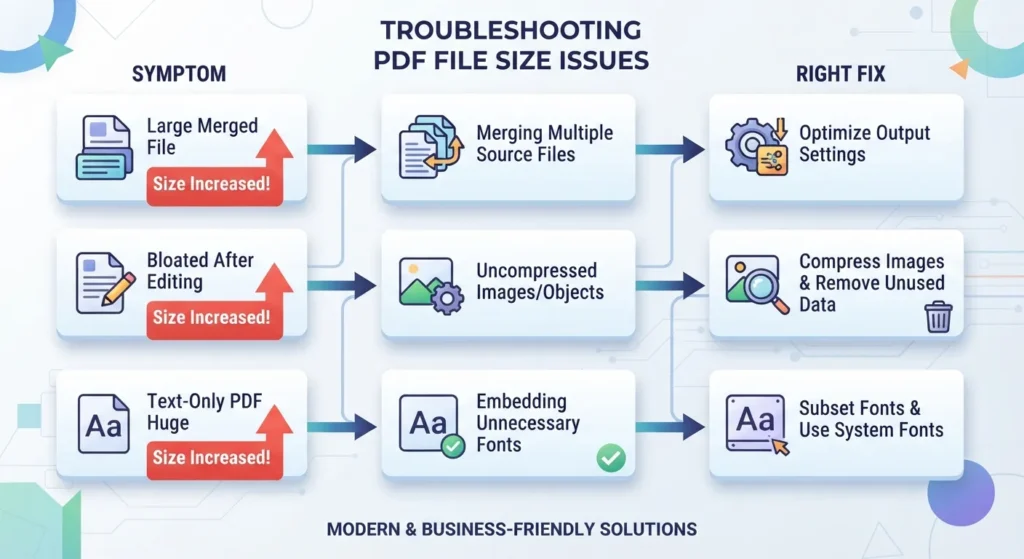
Root causes and the right fix (decision table)
Use this to match symptoms to solutions.
| Symptom | Likely root cause | Best fix (in order) |
|---|---|---|
| Merged file ≈ sum of inputs, but still too big for email/portals | Images at print resolution; no compression applied | 1) Merge first 2) Compress the merged file (downsample images to 150 DPI, subset fonts) |
| Merged file much larger than sum (e.g., 2×–10×) | Duplicated fonts/resources from poor merge logic | 1) Re‑merge with a tool that batches page copies and dedupes fonts 2) If needed, optimize/garbage‑collect the PDF |
| File grew after editing or deleting pages | Incremental save appended new objects; old content retained | 1) Do a full save/optimize with garbage collection 2) Avoid repeated incremental edits on the same file |
| Many small text‑only PDFs become bloated after merge | Tool rewrote resource dictionaries for each page | 1) Use a merger that copies page objects without rebuilding 2) Run a lightweight optimizer afterward |
Why “compress before merging” usually backfires
Compressing each file individually and then merging often yields a worse outcome. You end up recompressing the same content multiple times, and losses stack. The better sequence is to merge first, then compress the single combined file once. This gives the compressor a global view of images and fonts to deduplicate and downsample efficiently.
US context: when size actually matters
- Email limits: Most providers cap attachments around 20–25 MB. A merged set of image‑heavy scans can blow past that quickly.
- Job/application portals: Many US hiring and filing systems reject uploads over 5–10 MB. If your merged PDF is 24 MB, it will not go through.
- Court/e‑filing systems: Some state courts enforce strict size limits and specific PDF standards. If you hit a wall, compress after merging and verify the file still meets the court’s requirements.
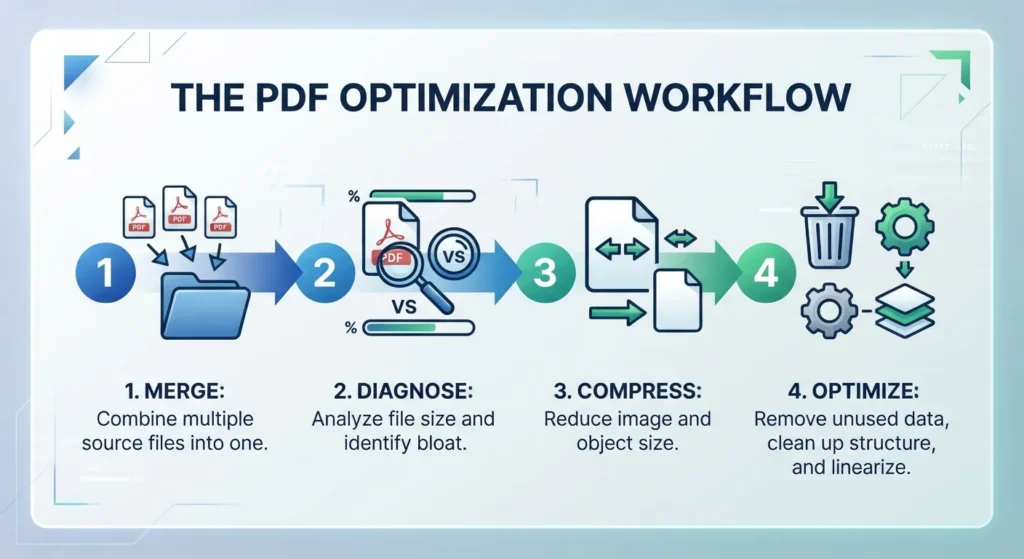
Step-by-step: Merge → Diagnose → Fix
- Merge your PDFs in the correct order using a tool that copies pages without rebuilding the entire document. Avoid “optimize during merge” options unless you understand what they do.
- Check size vs. expectation. If the result is roughly the sum of inputs, the bloat is from images/fonts, not a broken merge. If it is far larger, suspect duplicated resources or incremental-save artifacts.
- Compress the merged file. Use a compressor that downsamples images (to ~150 DPI for screen use), subsets fonts, and removes unused objects. This is where you recover most of the size. For practical targets like getting under 1 MB, 500 KB, or 200 KB, follow a focused guide on how to compress PDF to 1MB, 500KB, 200KB.
- If still oversized, run an optimizer that performs garbage collection (removes orphaned objects) and linearizes the file. This targets incremental-save bloat and hidden metadata.
FAQ
Does merging PDFs reduce file size?
No. Merging combines documents but does not recompress them. The output is typically close to the sum of the inputs. If the merged file is too large, compress it afterward.
Why is my merged PDF larger than the originals combined?
Common causes are duplicated fonts/resources and incremental saves that append new objects instead of rewriting the file. A poor merge can clone embedded fonts for each page, causing major bloat.
Can merging PDFs duplicate fonts and increase size?
Yes. If each source embeds its own font subset and the merger does not deduplicate, the final file keeps multiple copies. This is a frequent cause of unexpectedly large merged PDFs.
How do I shrink a PDF after merging?
Compress the merged file: downsample images (around 150 DPI for screen), subset fonts, and remove unused objects. Do this after merging, not before, for best results.
Does compressing before merging help?
Usually not. Compressing each file separately and then merging can stack losses and still leave duplicated resources. Merge first, then compress the single combined file.
Why does deleting pages sometimes make a PDF bigger?
Many editors use incremental saves that append changes. Deleted pages remain in the file with a new cross-reference table telling viewers to ignore them. Repeated edits accumulate ghost data.
What tools merge PDFs without bloating file size?
Look for mergers that copy page objects in a single batch and deduplicate fonts. Avoid tools that rebuild the entire document for each page. After merging, use a dedicated compressor/optimizer. For a broader set of utilities, you can explore options at xyconvert.